Reference this post
Please use the direct URL below when referencing this post. If you’d like to reference this day’s page in general, use the day URL below. You can refer to me as “Matt” or “Matt Buchanan” and the site as “Some Was True”.
¶Yep, my Ulysses to Daystream shortcuts work perfectly, right out of the box. I’ve got some ideas for improvement, though, so I’m working on those now.
Reference this post
Please use the direct URL below when referencing this post. If you’d like to reference this day’s page in general, use the day URL below. You can refer to me as “Matt” or “Matt Buchanan” and the site as “Some Was True”.
¶I used Google to search for some help with Ulysses actions in the iOS Shortcuts app. I wanted to add a “move sheet” action to my existing Daystream shortcuts, basically to move a sheet to an archive group after a shortcut publishes the sheet to Daystream.
¶I searched for “ulysses app shortcut action move sheet to another collection” and got a decent list of search results back. Google offered the following “AI Summary” at the top of those results:
¶To create a shortcut action in the Ulysses app to move a sheet to another collection, you would use the “Move Sheet” action, selecting the desired sheet and then choosing the target collection from the list of available options within the shortcut editor.
¶Wow. No need to wade through the search results. This is exactly the information I needed. AI for the win, right?
¶Well, as Lee Corso would say, “Not so fast my friend!”
¶Ulysses does not provide a “Move Sheet” action to the Shortcuts app. In fact, the lack of such a sheet is the reason I went to Google in the first place. It’s the obvious solution to the problem I’m trying to address; my first thought was to look for exactly that action within the Shortcuts app. It’s not there and, to my knowledge, has never been a part of the Shortcuts package provided by Ulysses.
¶So I did some more poking around and found some documentation on the Ulysses x-callback-URL scheme, which does include a move action. I constructed the URL I needed and added an Open X-Callback-URL action to my shortcut and, viola! Works perfectly.
¶So, AI for the win? No, to the contrary, this is a total fail. It appears to have hallucinated into existence a Shortcut action that just isn’t there. And, as if that’s bad enough, it completely missed the actual solution that clearly does exist and is available on the web. Granted, my search as focused on Shortcut actions, but, AI is supposed to be smart, right? I’d think it might expand the scope of my query when it’s clear the requested action doesn’t exist.
¶I guess it’s just easier to hallucinate.
Reference this post
Please use the direct URL below when referencing this post. If you’d like to reference this day’s page in general, use the day URL below. You can refer to me as “Matt” or “Matt Buchanan” and the site as “Some Was True”.
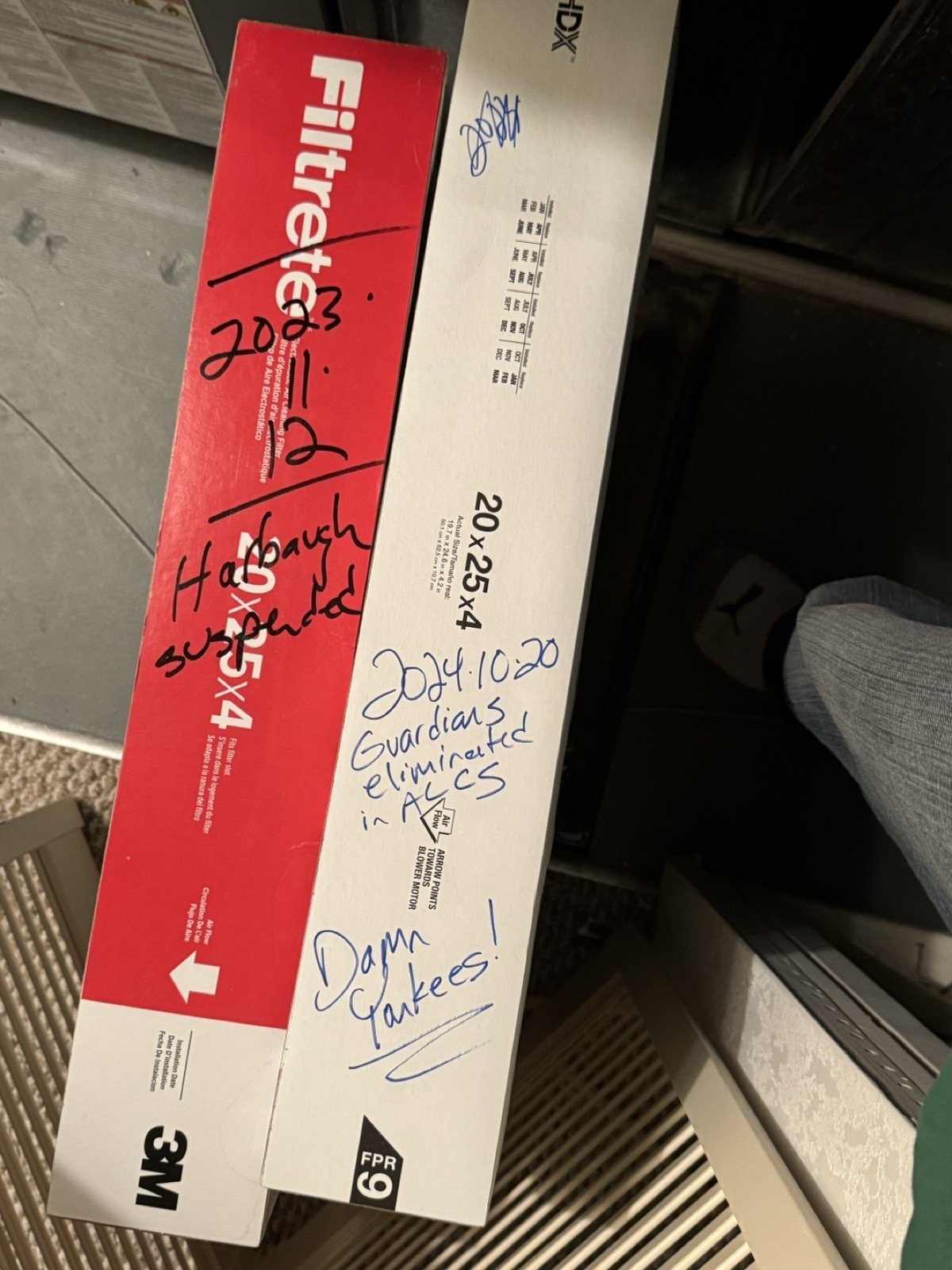
¶It seems like I’m always changing the furnace filter after some major sports news developed.
Reference this post
Please use the direct URL below when referencing this post. If you’d like to reference this day’s page in general, use the day URL below. You can refer to me as “Matt” or “Matt Buchanan” and the site as “Some Was True”.
Some Was True publishes daily observations and commentary on everything from culture and history to sports and technology. You'll probably learn something each time you visit the site. And sources will be cited. The About page has more information about the background of the site and details on how content is organized.